EMMA logo mark

EMMA · Incident management & alerting

Incident response, digitally minded. Incident management and alerting in one application.

EMMA brings incidents, units, radio and alerting together in one workspace – from radio status to the tactical map. Server and user interface run locally: on a station server, on a compact device or as an Android app on a tablet.

EMMA tactical map on a tablet with DV 102 symbols, danger zone and operational sectorsEMMA tactical map on a tablet with DV 102 symbols, danger zone and operational sectors
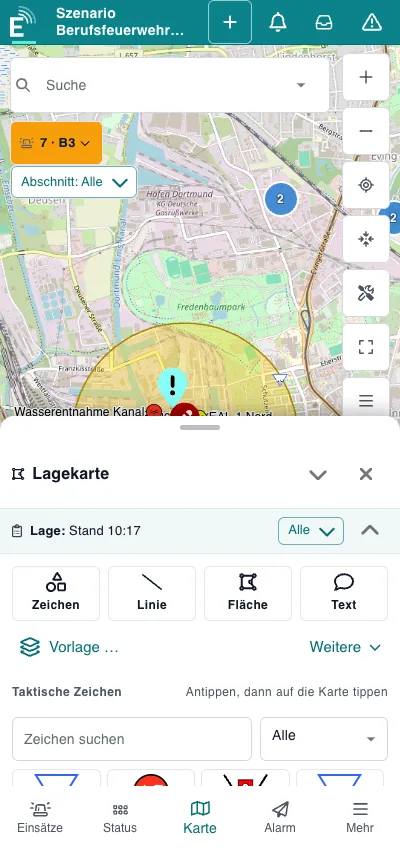
Tactical map on a smartphone
  • TETRA and further radio networks
  • Alerts with responses
01 / About EMMA

What makes EMMA stand out. Clearly structured and practical.

EMMA is the digital core of incident management for fire services, emergency medical services, civil protection and plant security: alerting, incident planning and seamless documentation – central, secure and easy to use.

Incident management made easyCreate and manage incidents in the browser on any device – without internet, inside your protected network.
Units live on the tactical mapResources and units appear live on the tactical map – via TETRA radio location and GPS trackers.
Seamless documentation in one placeRadio traffic and events go into the incident log automatically – ready to print as PDF.
Dependable alertingAlert units via TETRA, mesh radio, voice announcement or siren – with response.
02 / Features

A system that thinks along – from the first alert to the printed map.

Ten feature areas, one workstation: designed for 10 to 13 inch tablets, landscape and portrait, touch-friendly – and just as ready in the browser at the workstation.

Incidents and situation

All incidents and resources at a glance.

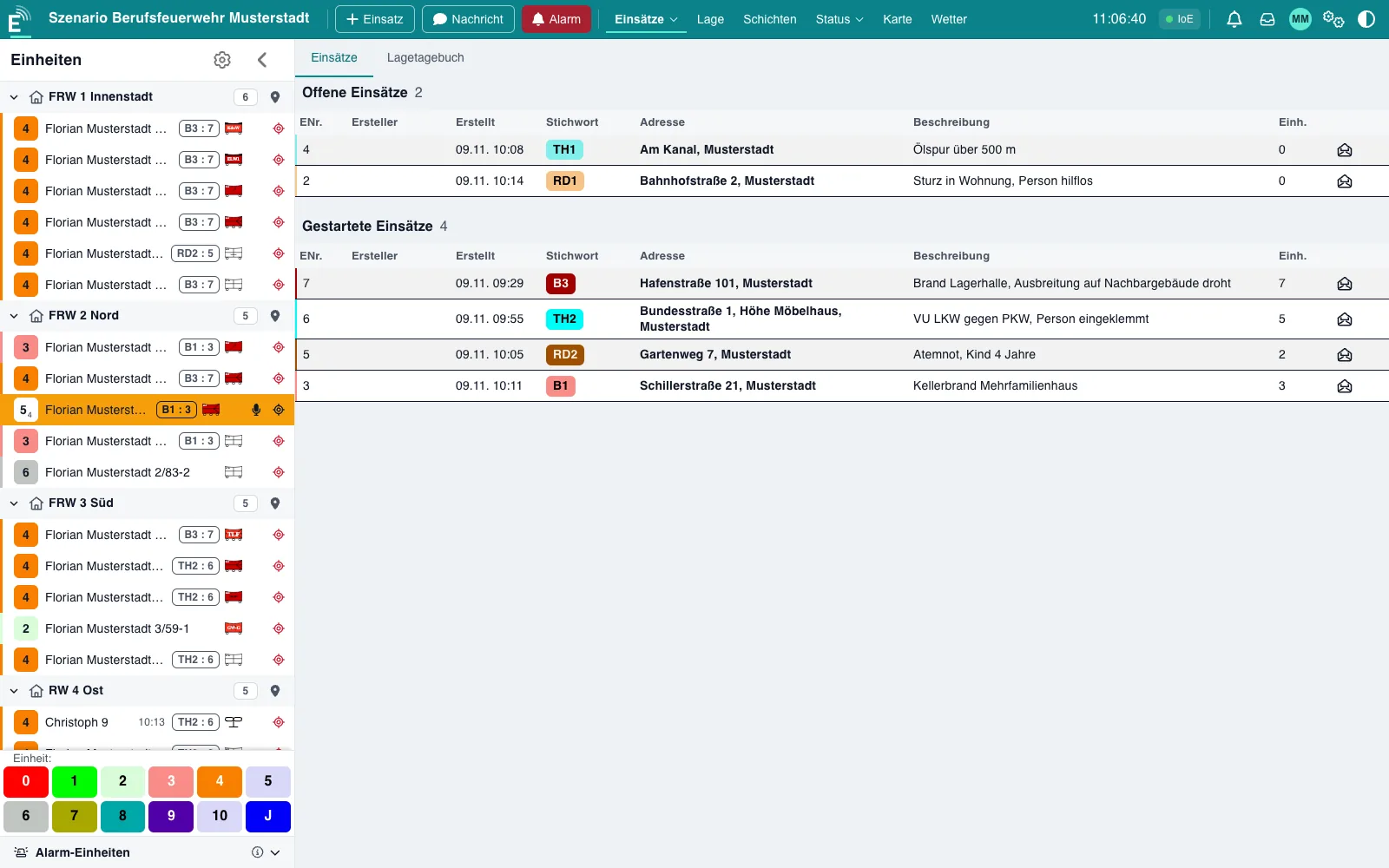
Open and active incidents, resources per status and anomalies in one place. Times such as alerting, departure and arrival are recorded automatically.

  • Incident list with keyword, address, description and number of resources
  • Situation overview: resources per status, incidents without resources, faults
  • Several situations in parallel, sub-incidents and destination per keyword
Incident overview with unit list: status and incident chip per unitIncident overview with unit list: status and incident chip per unit
Incident overview with unit list: status and incident chip per unit

Units and status board

Every unit with status, location and incident.

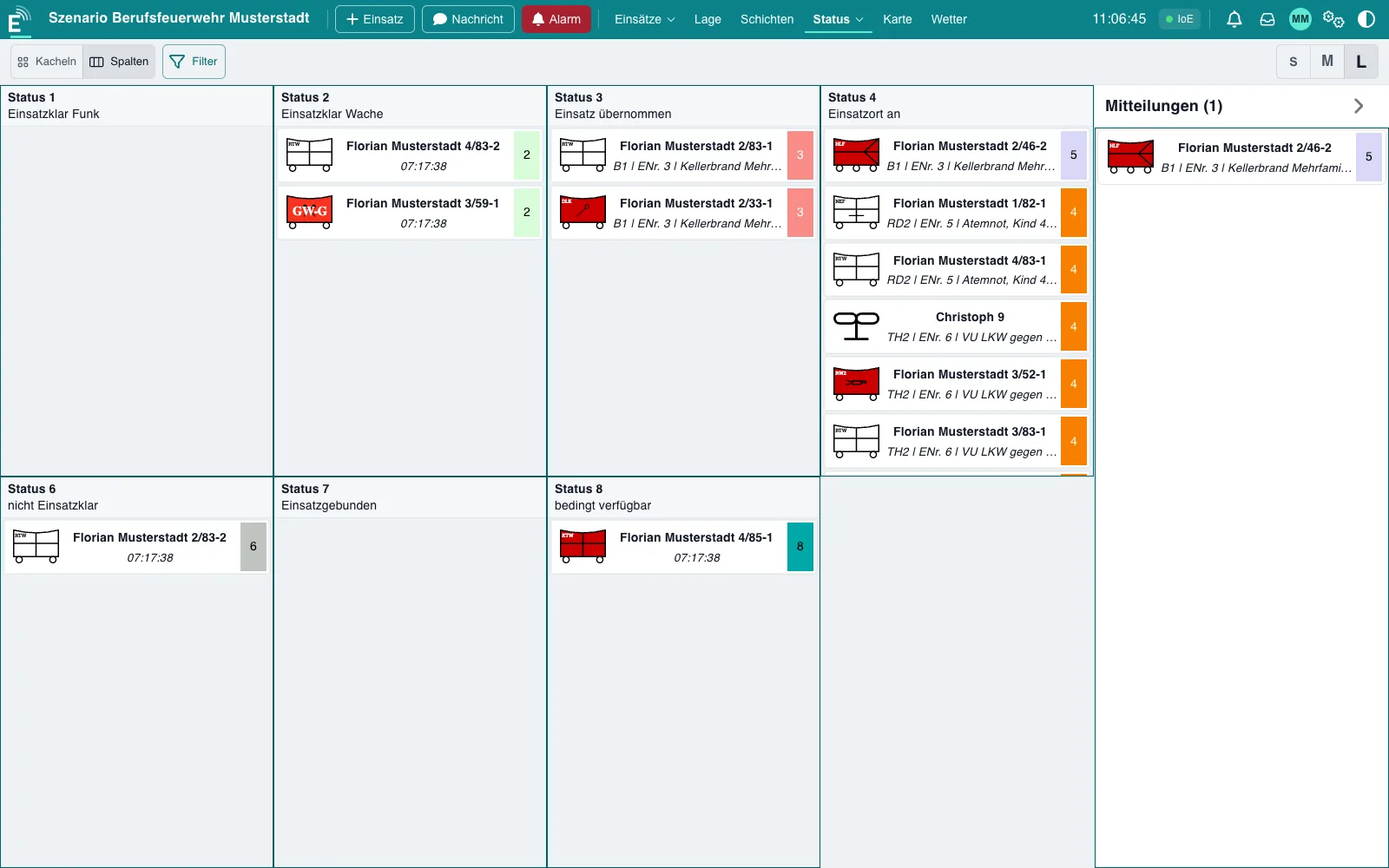
The status board shows all units by status – in columns or tiles, in sizes S, M and L.

  • Unit list grouped by station with status 1–9 and incident chip
  • Status messages received directly via TETRA, status configuration adjustable
  • Positions via TETRA, GPS trackers or station location
Status board with all units by statusStatus board with all units by status
Status board with all units by status

Tactical map

Draw the situation directly on the map.

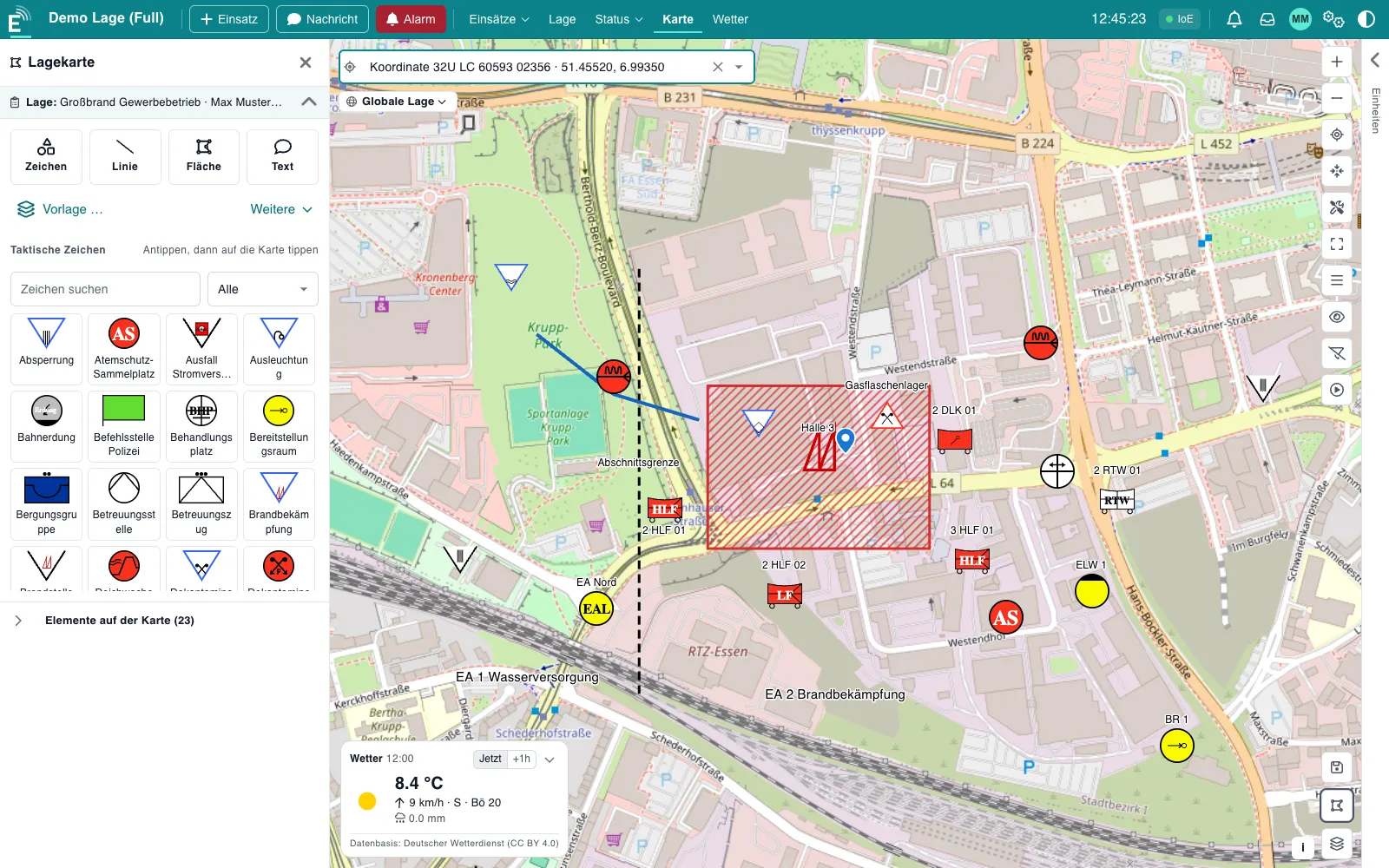
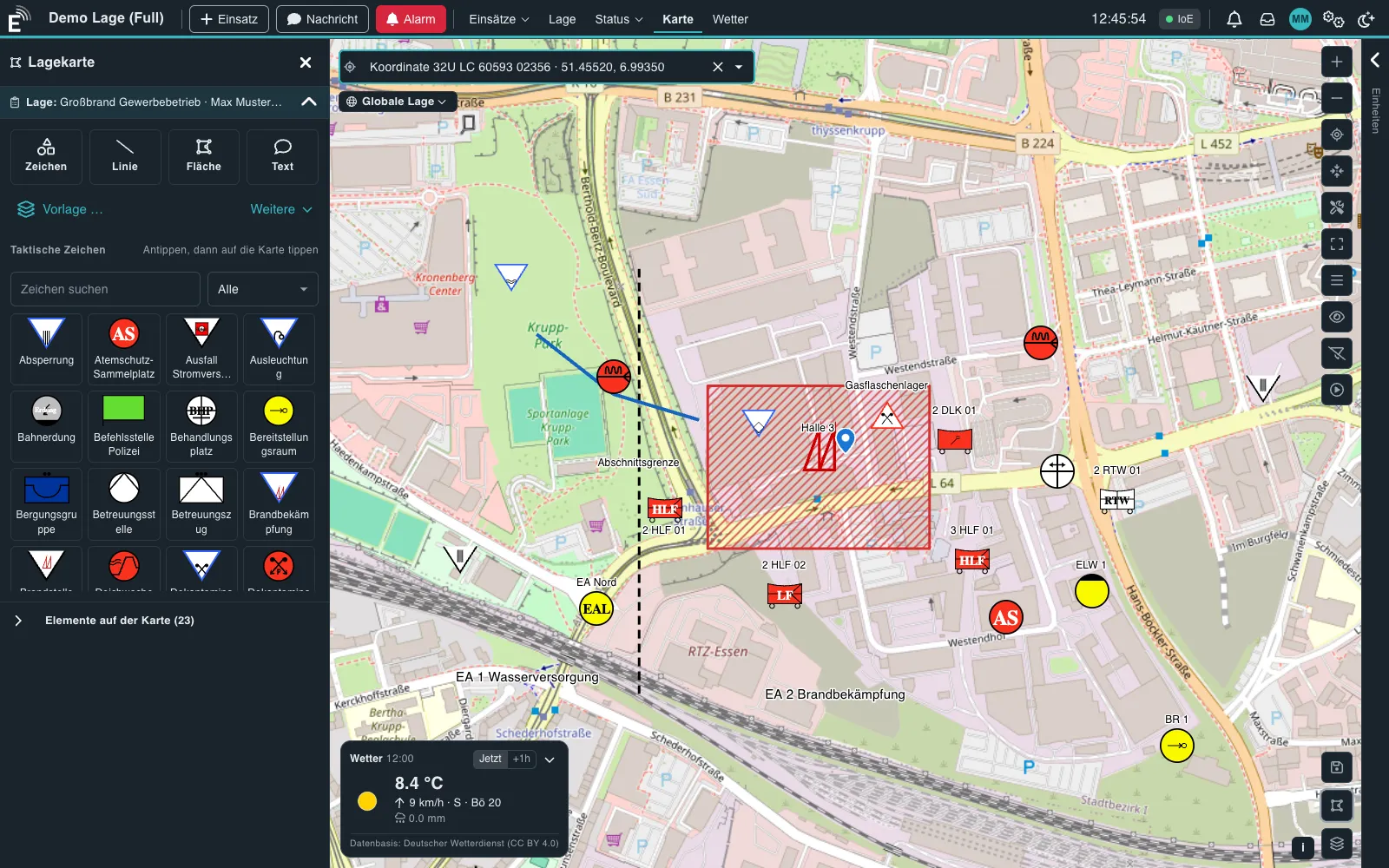
Changes go live to every workstation – with tactical symbols according to DV 102 (2024 edition) and your own symbols.

  • Symbols, lines, areas, free text and spread zones – symbol library with categories and search
  • Favourites, quick markers and situation templates: place several symbols at the scene with one click
  • Situation header with title, commander and strength; measure distances, coordinates including MGRS
  • Import and export situations, replay the situation history, add your own base maps and overlays
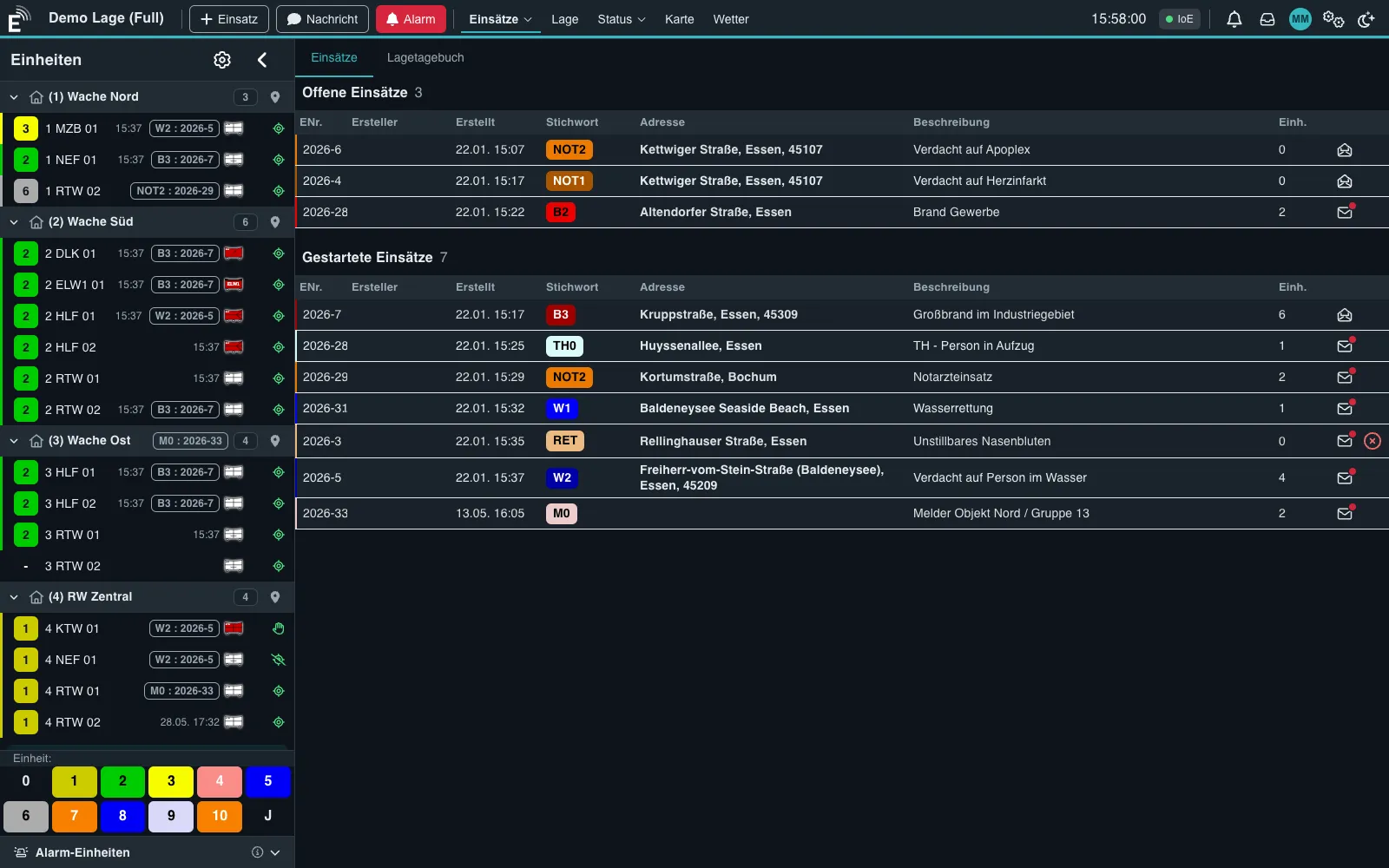
Tactical map with symbol library in night mode

Resources and dispatch rules

The right proposal when an incident is created.

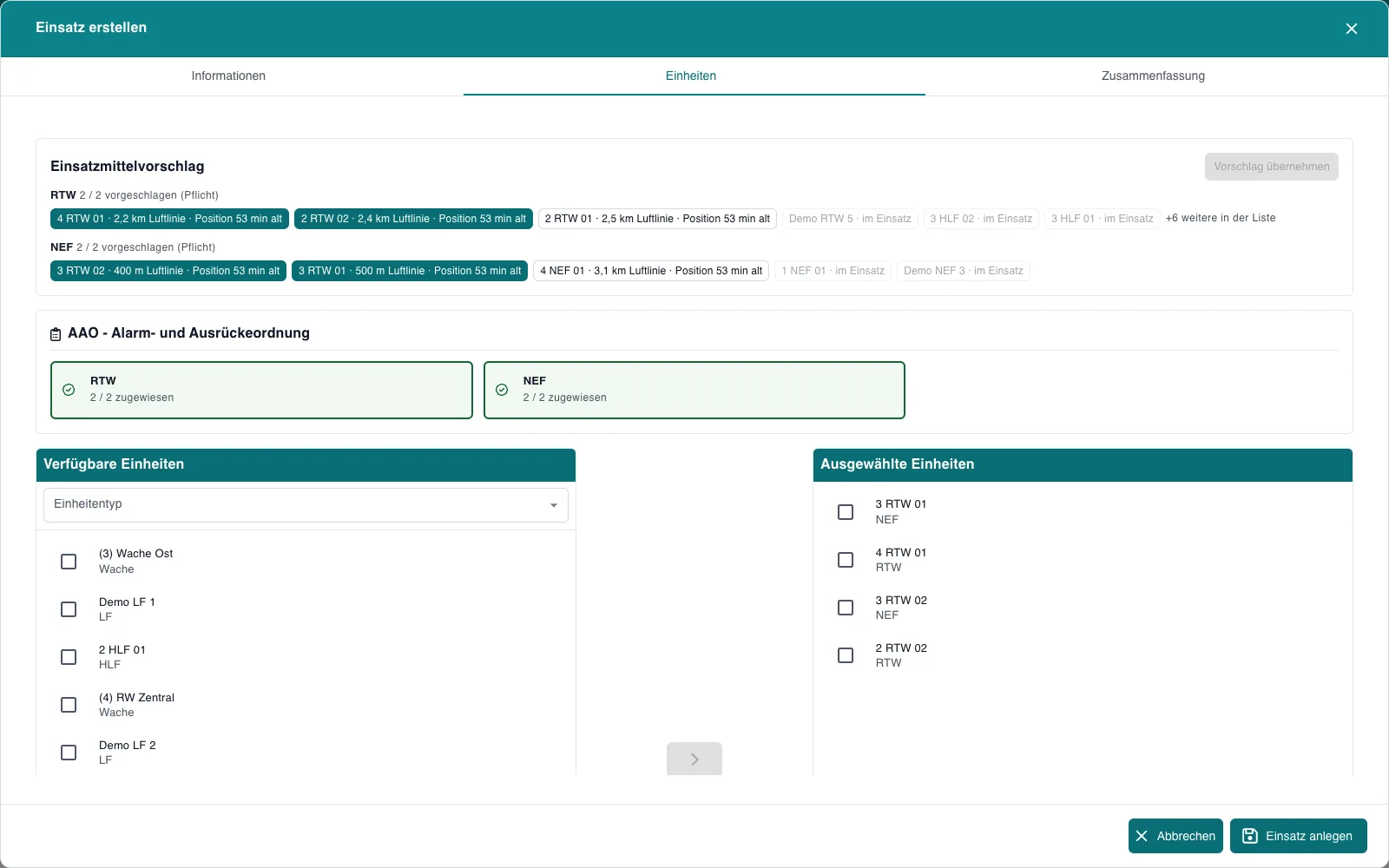
For the keyword's dispatch rules, EMMA proposes suitable units: available units first, then by distance to the scene.

  • Dispatch rules per keyword: unit type, quantity, mandatory or recommended
  • Calculated by availability and straight-line distance – outdated positions are flagged
  • Missing mandatory positions are shown immediately
  • Accept the proposal with one click or add units manually; dispatch rules printable as PDF
Resource proposal based on dispatch rules with distance to the scene

TETRA radio

Status, position and messages straight from the radio network.

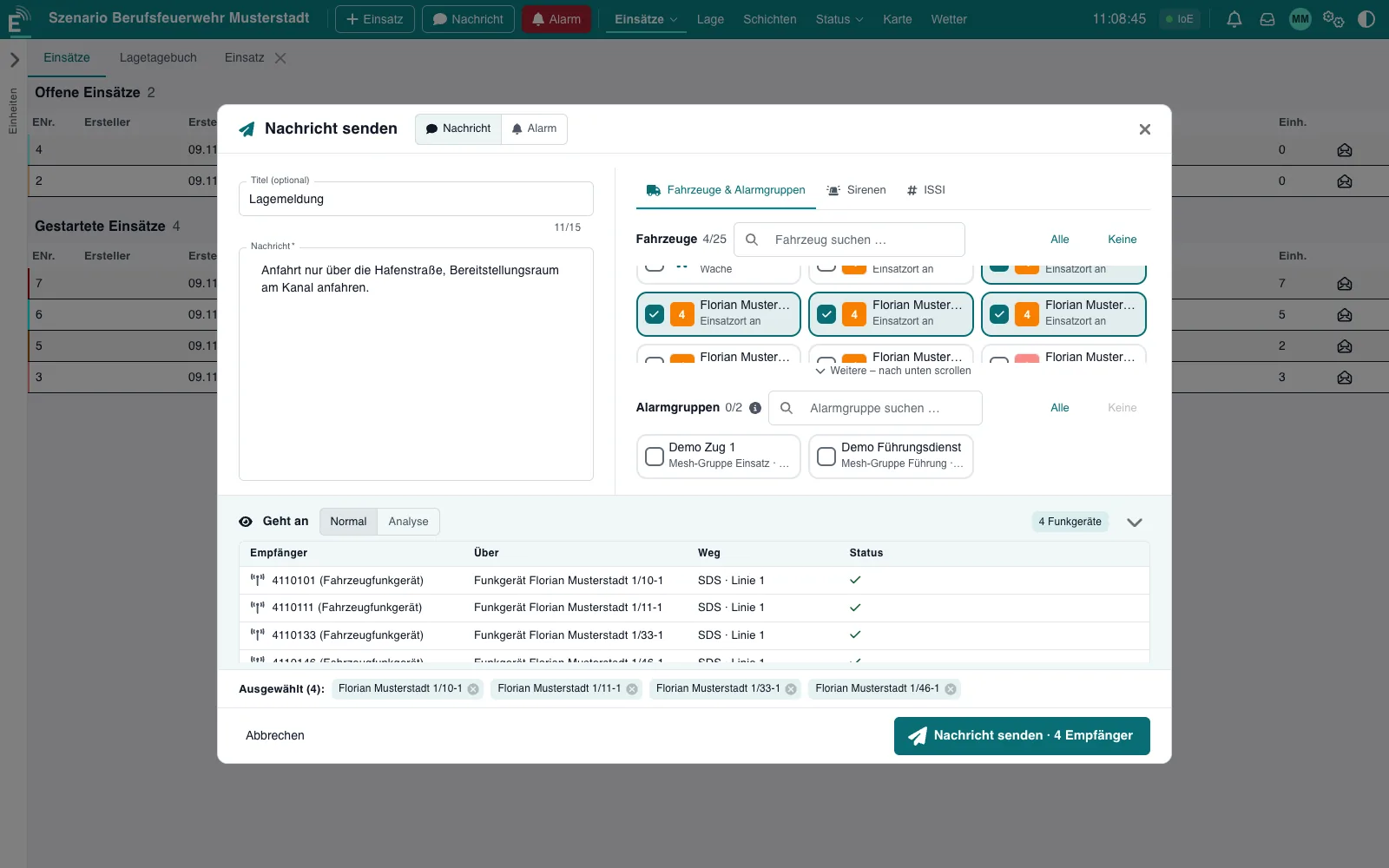
EMMA connects to the radios through REICHERT Core. The “goes to” preview shows the recipients before sending.

  • Status, position, short messages and alerting with delivery confirmation
  • Messages to vehicles, alert groups, sirens or individual radios
  • Speech requests and emergency calls appear in the situation overview
  • Radio traffic in the log with from/to; unknown radios appear automatically as temporary units
Short message to vehicles with recipient preview

Messaging and mesh radio

Connect workstations and radios without infrastructure.

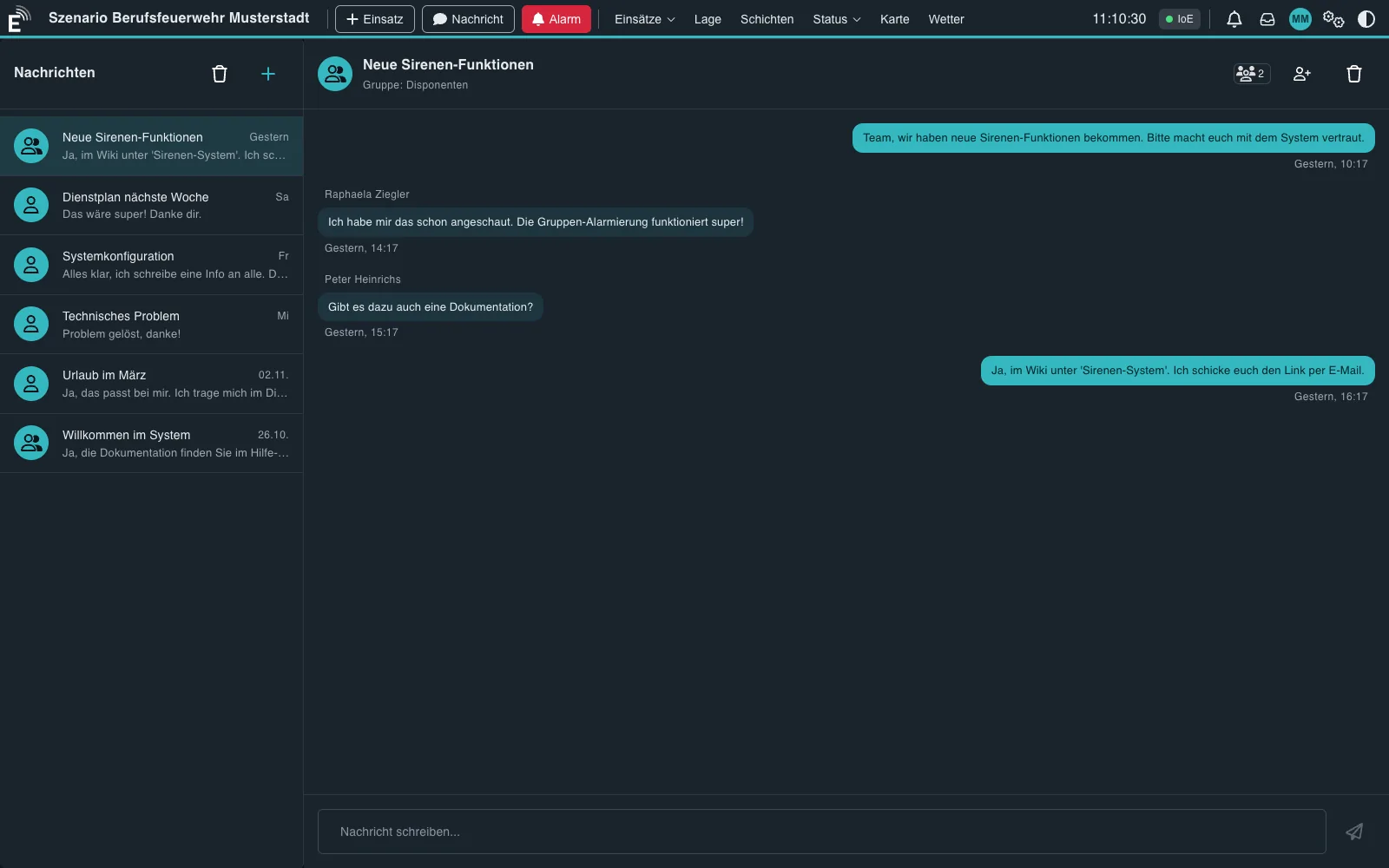
Internal messages connect the workstations, mesh radios extend coverage where there is no radio network.

  • Messaging between users: one-to-one and in groups, in real time, with unread counter
  • Meshtastic® and MeshCore via USB or the network; three-step setup with device discovery
  • Mesh device positions on the tactical map, incoming texts in the log
  • Broadcasts, direct messages and alerting via mesh radio
Messaging between users in night mode

Alerting

See who will be alerted. Then trigger.

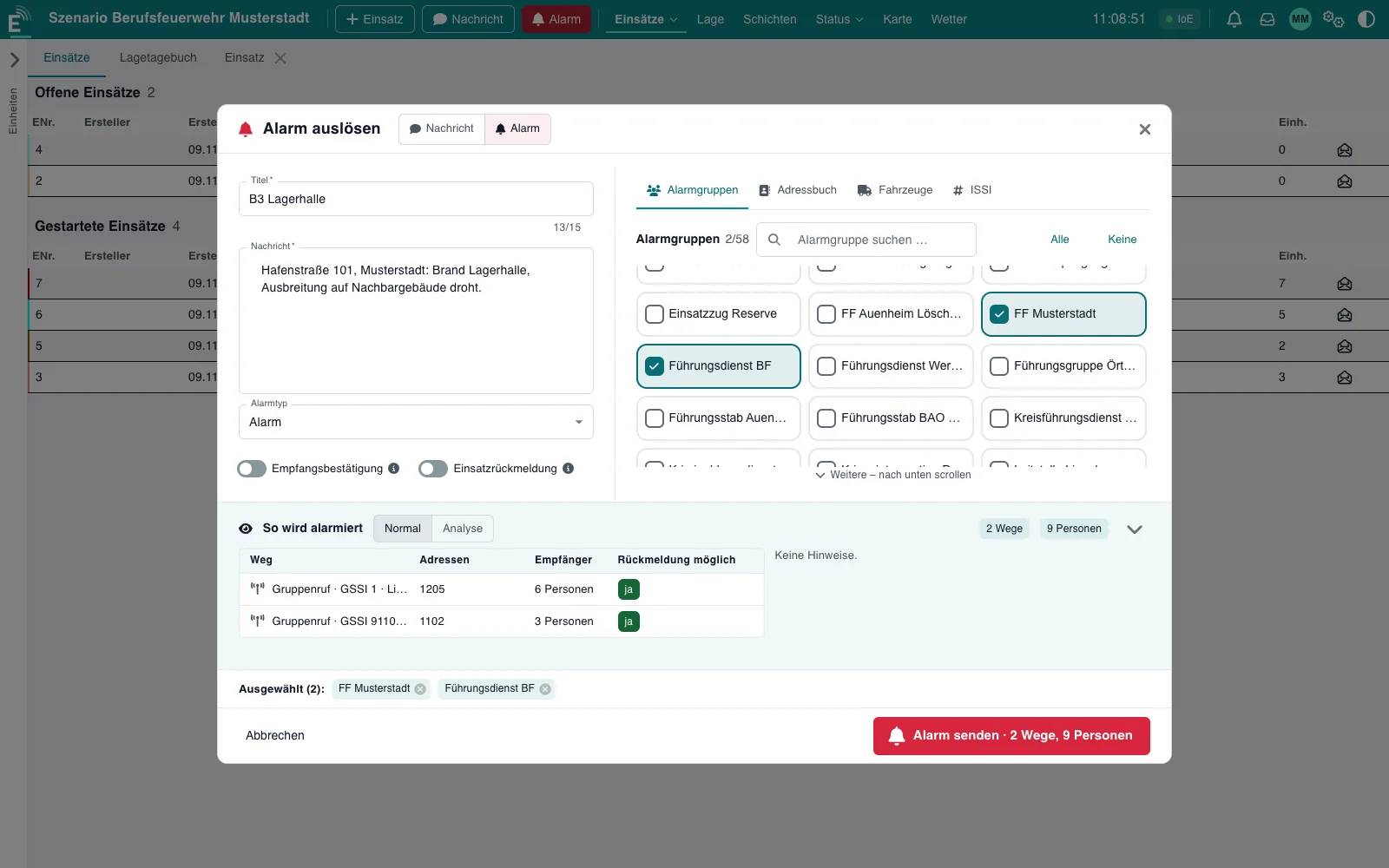
Alert groups, vehicles or people in a few clicks – EMMA shows channels, recipients and notes in advance.

  • Channels: TETRA, mesh radio, voice announcements, ZBE station signals, common alerting apps
  • Delivery confirmation and incident response: coming, later, not coming
  • “How it will be alerted” preview with channels, recipients and notes
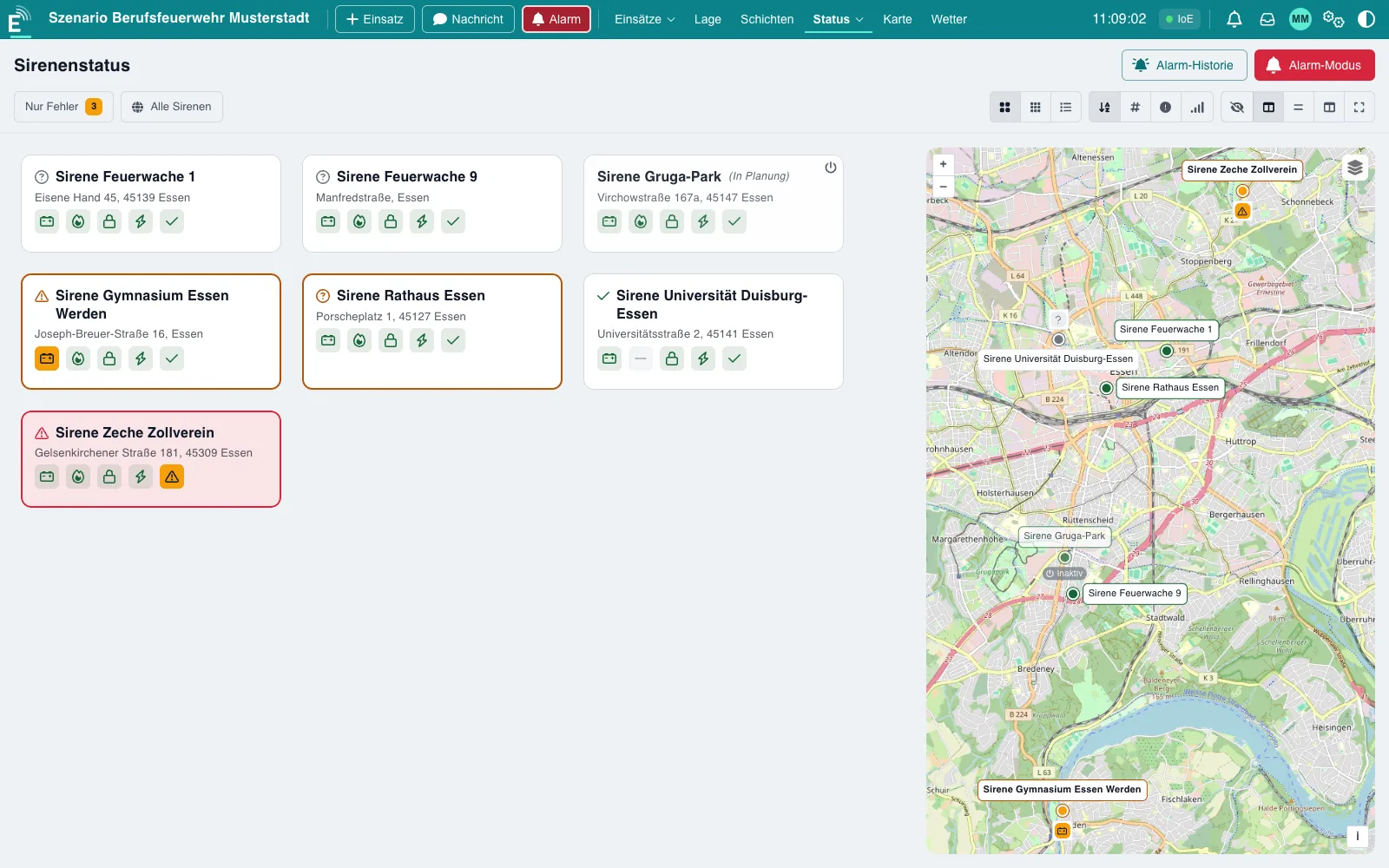
  • Siren control with groups, status and history (Sirens module)
Trigger an alert: see channels, recipients and responses in advance

Logs and printing

Every event goes into the log automatically.

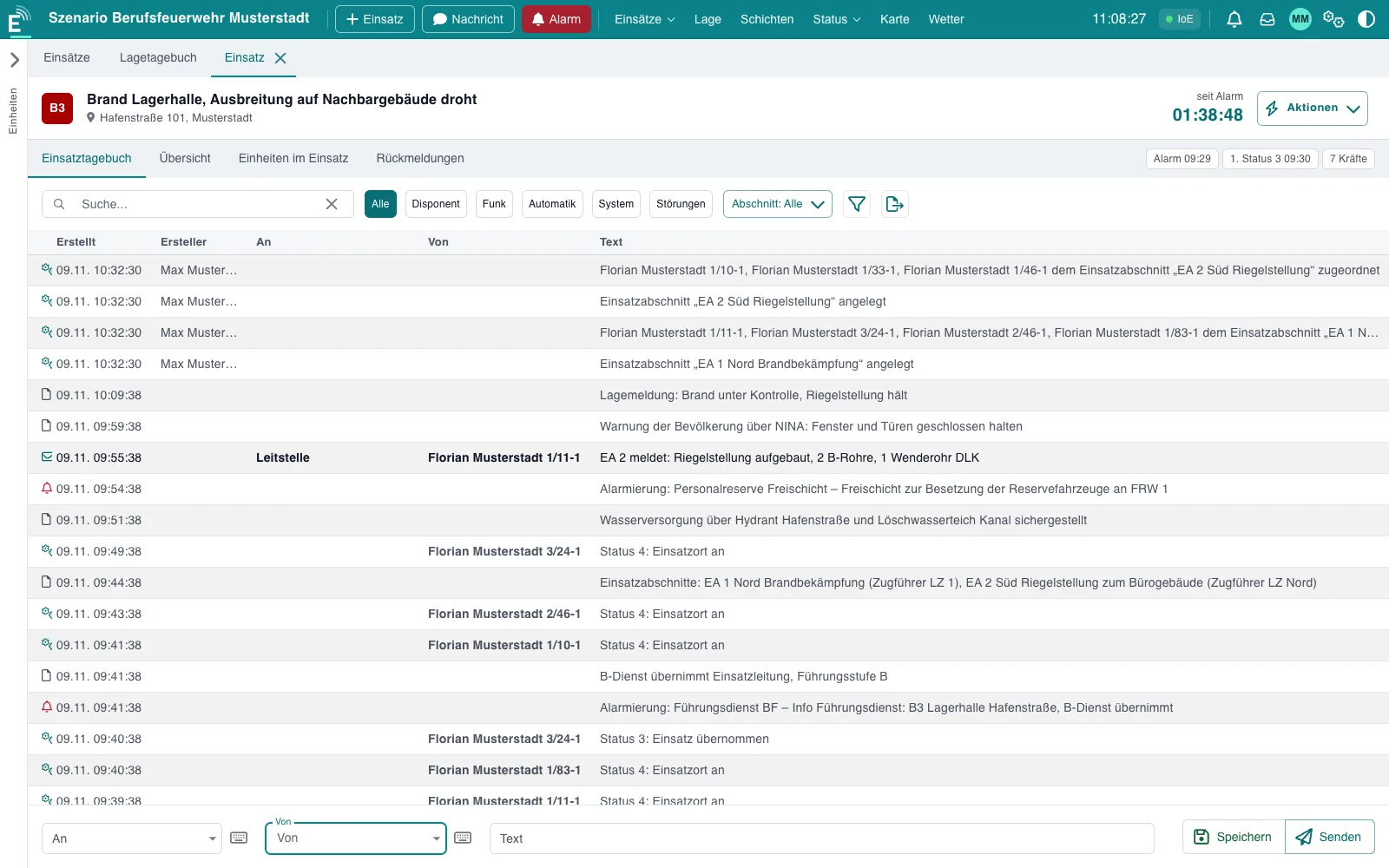
Incident and situation log with filters for dispatcher, radio, automatic, system, faults and sector – ready to print as PDF.

  • PDFs for log, incident, alert message, dispatch rules and shift report
  • Map print in A4 or A3 landscape with situation header, scale and legend
  • Network printers with queue and print automation (Printing module)
Incident log with automatic and manual entries

Sectors and shifts

Structure large incidents, run the service in shifts.

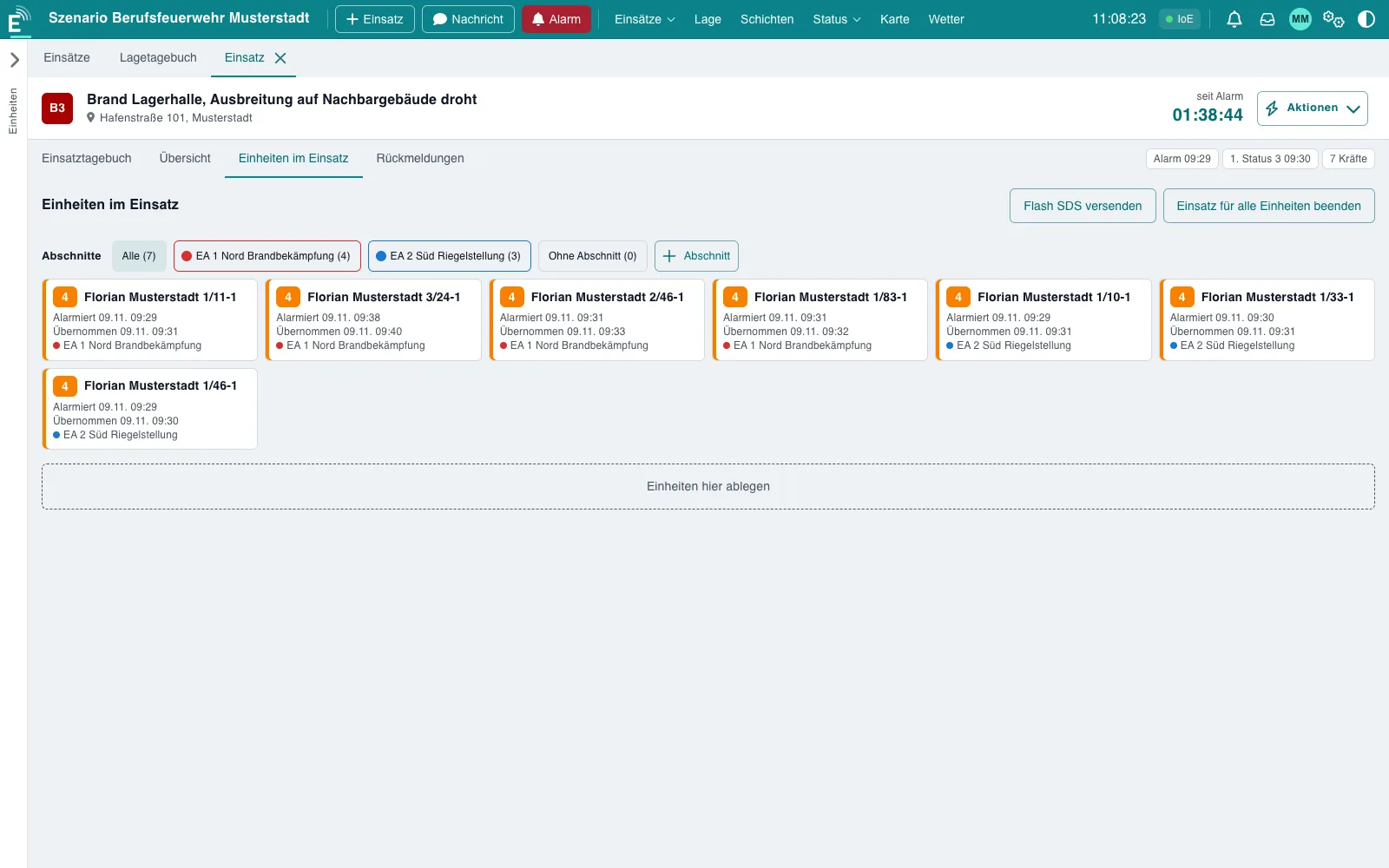
Operational sectors organise units and log entries; shift handling accompanies daily operations from start to handover.

  • Sectors with name, task, colour, leader and sector dispatchers (optional)
  • Assign units and log entries to a sector
  • Shift handling with start, handover and end; shift plan with series, calendar and templates (Shifts module)
  • Shift report as PDF, archive and evaluation with export
Operational sectors: units grouped by sector

Operation and weather

Local, robust and with DWD weather data.

EMMA runs locally without requiring a cloud and stays usable when connections drop.

  • On connection loss the view stays in place; data refreshes automatically after reconnecting
  • After a restart the interface reloads by itself
  • Status page, backup and restore right from the user interface
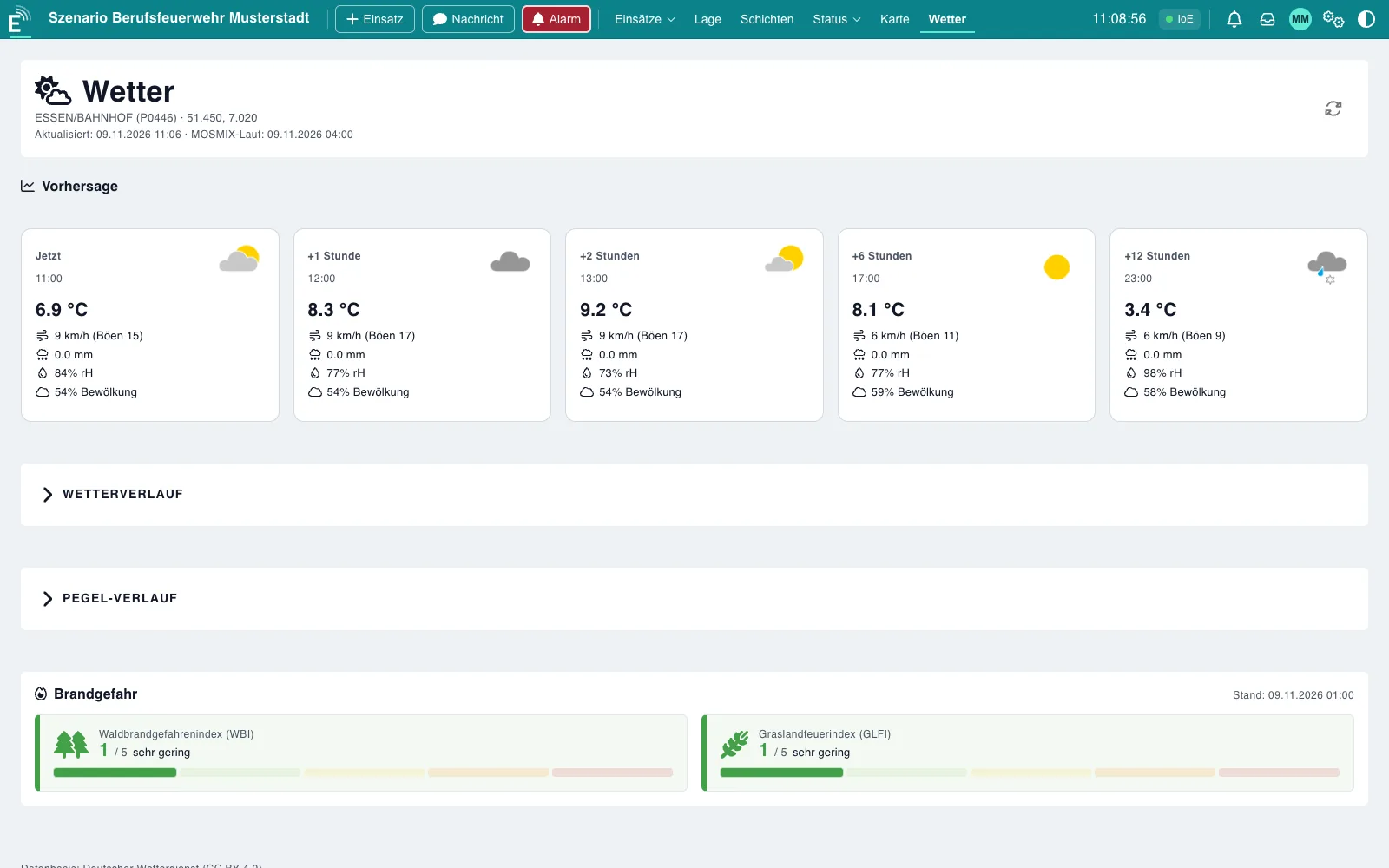
  • DWD weather with forecast and forest fire danger; warnings and water levels as a beta
DWD weather with forecast and forest fire danger

All images show demo mode with fictitious data. Status, times and incidents are examples.

03 / Mesh radio

Radio without a network. With Meshtastic® and MeshCore.

When the radio network, mobile network or internet fail, mesh radios pass positions and short messages on from device to device. EMMA connects Meshtastic and MeshCore devices just like radios – via USB or the network.

Positions on the situation mapThe locations of known mesh devices appear as the position of the unit, just like GPS.
Messages in the logIncoming messages end up in the incident log and can trigger alerts automatically.
Alert and writeBroadcasts as an alerting path and direct messages to single devices; with MeshCore including delivery confirmation.
Set up in three stepsFind the device via USB or on the network, select it, save. One “Mesh” module for both systems.
04 / Modules

Flexible. Extensible. Built for emergency services.

From automatic incident takeover to digital alerting: modules extend the range of functions and can be activated individually.

Gateway module: taking over incident data from external systems

Gateway module

Take over incident data, keep EMMA isolated.

The gateway connects EMMA with external systems such as dispatch software and alert providers. EMMA establishes the connection itself and does not need to be reachable from outside.

  • Secured connection to external systems
  • Incident data is taken over automatically
  • No manual re-entry of duplicate data
  • The protected network stays isolated
Alerting module: trigger an alert with channels, recipients and responses

Alerting module

Alert. Respond. Coordinate.

Alerts via TETRA, mesh radio, voice announcement or connected alerting services – with responses right in the user interface.

  • Drag-and-drop alerting
  • Radio and app in parallel
  • Preview of channels and recipients
  • Responses: coming, later, not coming
Sirens module: live status of all sirens

Sirens module

Trigger, query, visualise.

All sirens at a glance: live status, targeted alerting of single sirens or whole groups, and an overview of coverage.

  • Status active, inactive or faulty in map and tile view
  • Alert single sirens or groups
  • Coverage circles on the map
  • History and scheduled availability checks
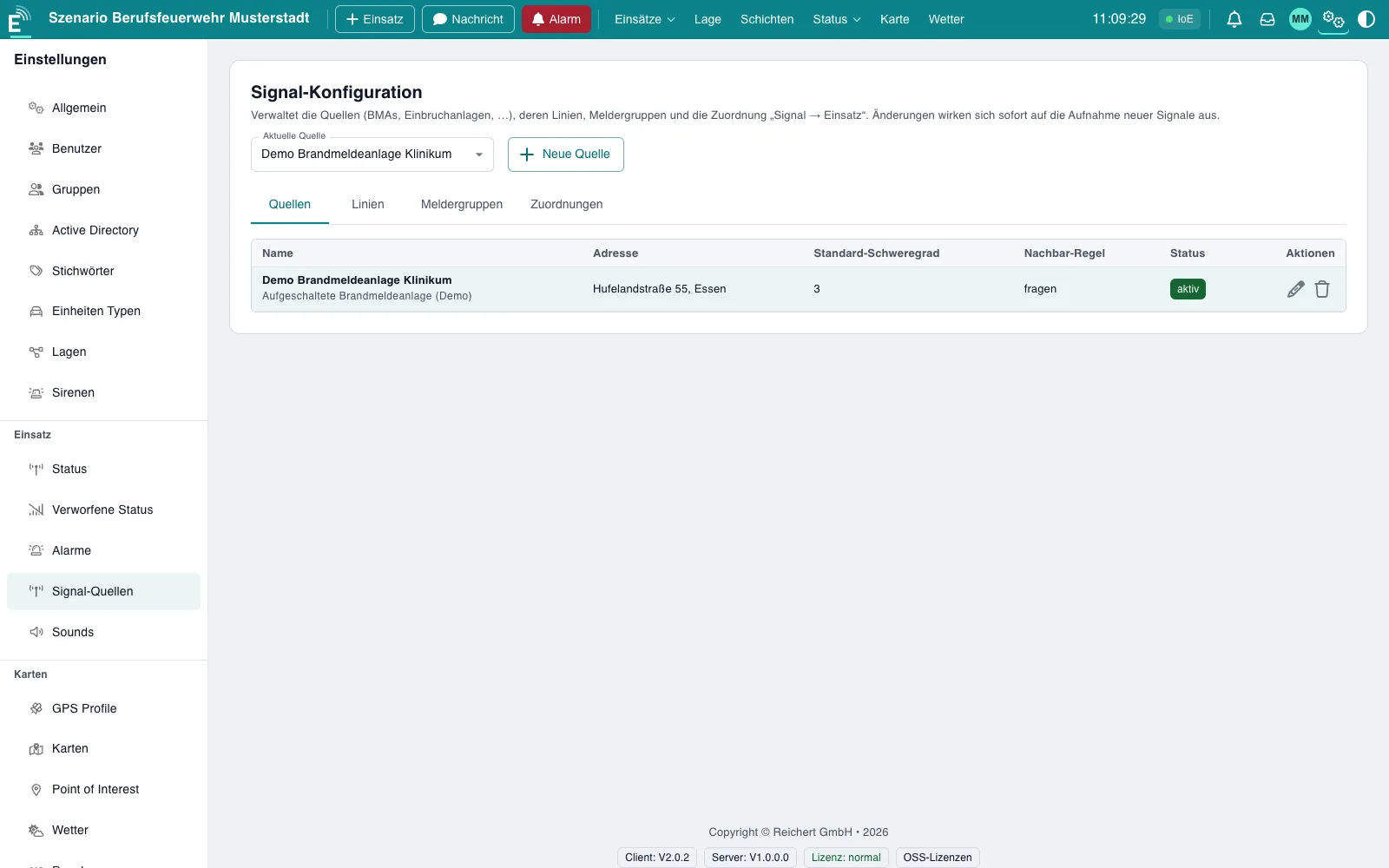
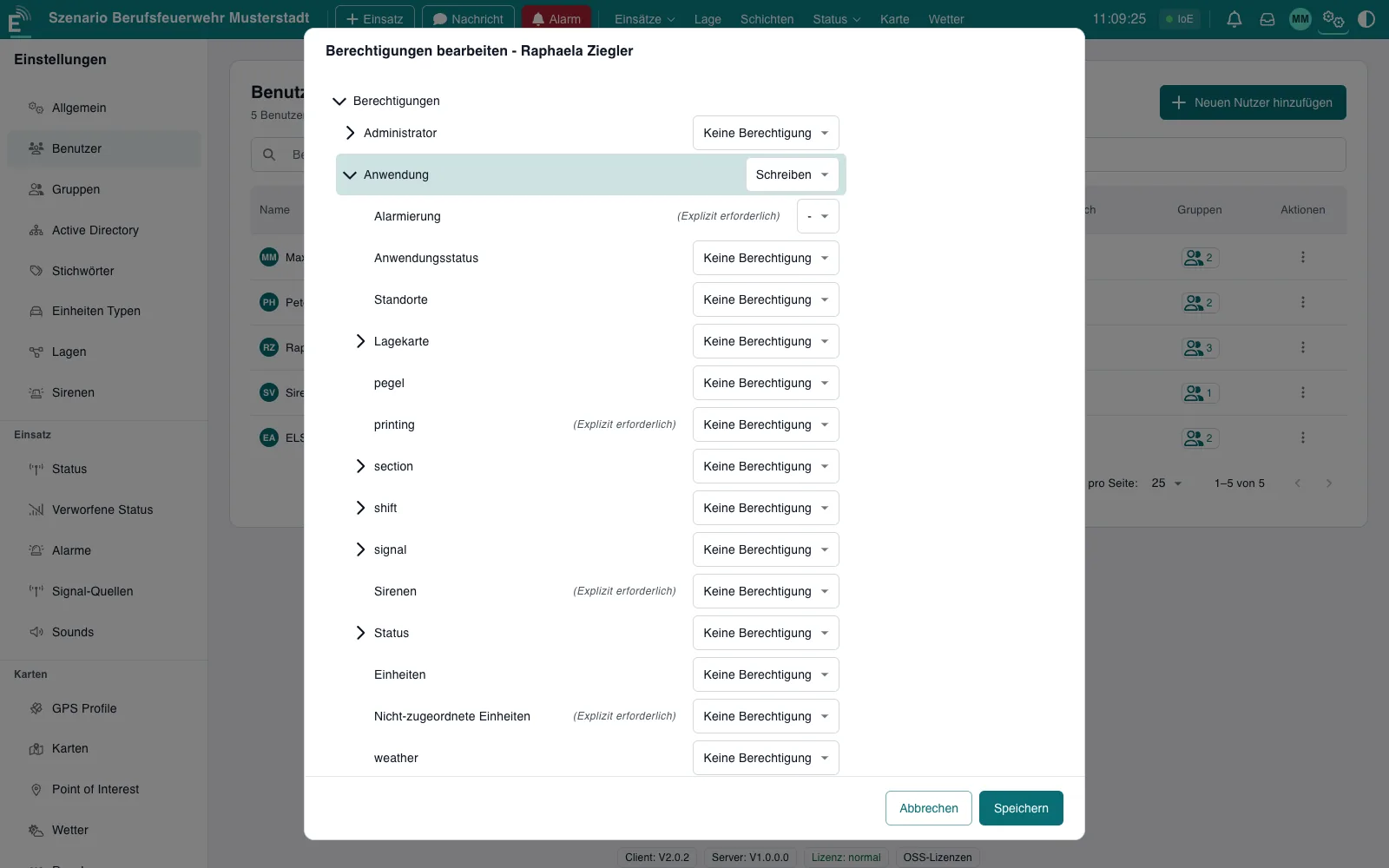
Active Directory sign-in: settings and group mapping

Active Directory sign-in

One account. One set of permissions.

Users sign in with their company account. Groups and access rights are taken over centrally from the directory.

  • Connection to your existing directory
  • Directory groups are mapped to user groups
  • Permissions per area, roles and responsibilities
  • Local sign-in as fallback possible
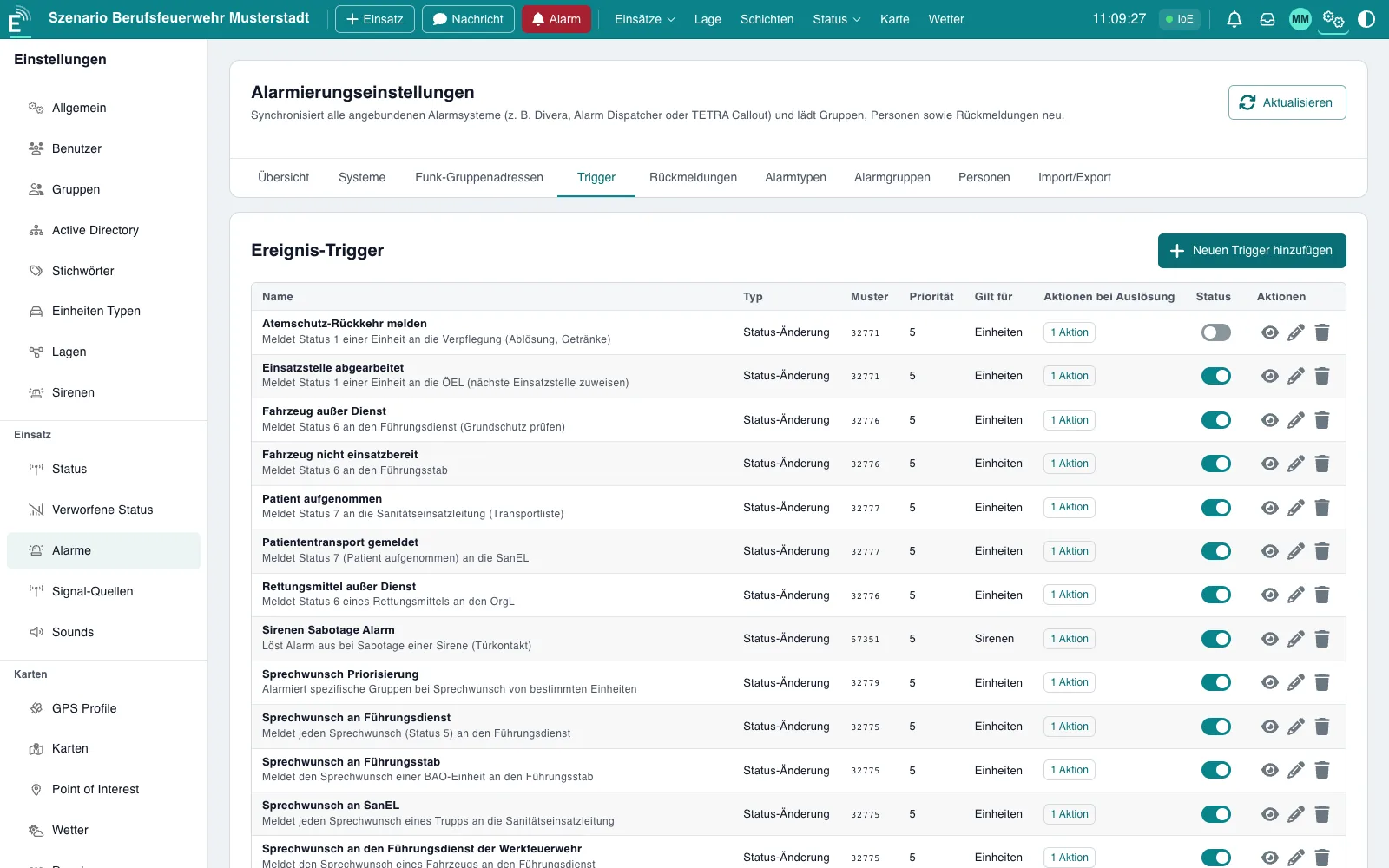
Alarm triggers: rules for automatic alerting

Alarm triggers

Alert automatically on defined events.

Rules trigger alerts as soon as messages or status changes arrive – for example a tamper alarm at a siren. Fire and intrusion alarm systems can also create incidents.

  • Rule-based per unit, siren or alert group
  • Faster response, less operating effort
  • Signal → incident for fire and intrusion alarm systems
  • Sources: ZBE station signals and radio messages
05 / Day and night

Light by day. Glare-free at night.

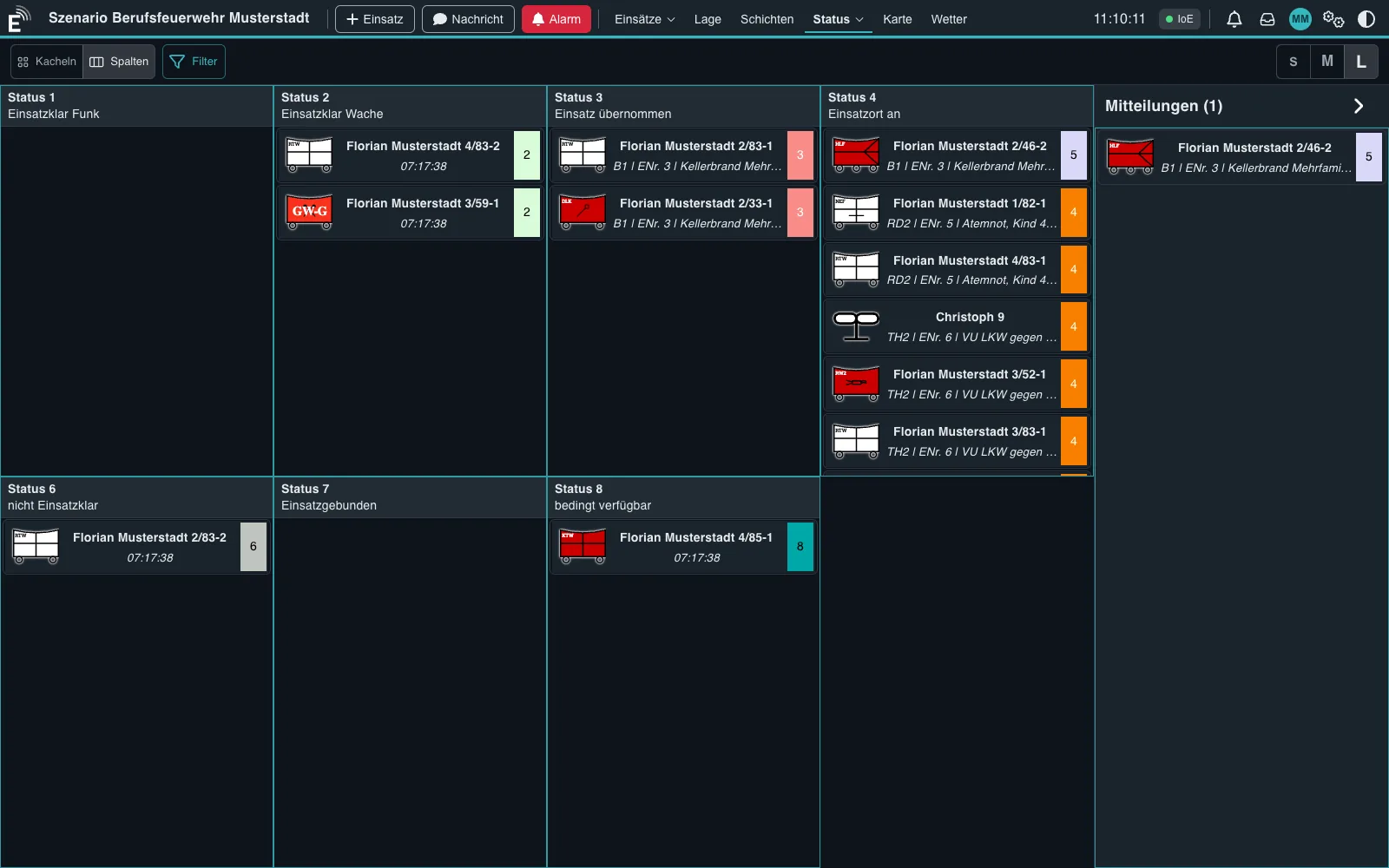
A light view for daytime, a dark view for night operations and vehicles – switchable per workstation, with day, night and system modes.

Status board with all units by status, light view Status board in night mode
06 / Scenarios

Wherever incidents are managed.

For fire services (professional, volunteer and industrial), emergency medical services, relief organisations, civil protection, and medical and stewarding services at events.

Station and command vehicle

Incident command at the station or in the command vehicle with status board, incident log and tactical map.

Major incidents

Operational sectors, staging areas and tactical symbols according to DV 102.

Large events

Medical and stewarding services with own and external resources.

Floods and severe weather

DWD weather and forest fire danger; warnings and water levels on the map as a beta.

Plant security and industry

Fire and intrusion alarm systems create incidents; alerting and documentation run in your own network.

07 / At a glance

Key figures that count on an incident.

Tactical symbols
DV 102
2024 edition, extendable with your own symbols
Map print as PDF
A4 / A3
with situation header, scale and legend
No cloud required
Local
Server and interface in your own network
Status per unit
1–9
received directly via TETRA
08 / Technology

Compact, local, connectable.

Design
Server on your own network, operation in the browser; all workstations updated live
Operation
On a station server, on a compact device or under Windows
Mobile platform
Android app with embedded server, Android 8.0 or later
User interface
Web browser, optimised for 10–13 inch tablets, touch operation
Radio connection
Through REICHERT Core
TETRA
Status, position, short messages, alerting with delivery confirmation
Mesh radio
Meshtastic® and MeshCore via USB or the network, positions on the map
Alerting
Voice announcements, ZBE station signals, external alerting services
GPS
GPS trackers and TETRA positions
External data
DWD weather, forest fire danger, forecast; warnings and water levels as a beta
Maps
Import and export in common formats, your own base maps and overlays, coordinates including MGRS
Tactical symbols
DV 102 (2024 edition), extendable with your own symbols
Printing
PDF for log, incident, alert message, dispatch rules, shift report and map (A4/A3); network printers
Users and security
Local users and sign-in with the company account (Active Directory); permissions per area
Data protection
Automatic deletion after a configurable retention period (off by default)
Interface language
German
Demo
Demo mode with fictitious scenarios (watermark on PDFs)
Modules
Activated individually: incident management (base), status tracking, tactical map, alerting, sirens, audio documentation, printing, weather, water levels, GPS tracking, voice announcements, mesh radio, shifts, signal → incident, Active Directory, gateway
09 / FAQ

Good to know.

Who is EMMA for?
For fire services, emergency medical services, relief organisations and civil protection, and for medical and stewarding services at events – wherever incidents are managed, resources are dispatched and units are alerted.
Does EMMA need an internet connection or a cloud?
No. Server and user interface run locally, even in isolated networks: on a station server, on a compact device or as an Android app on a tablet. Online services such as the base map, DWD weather and water levels need internet – local map data can be used instead.
Which devices does EMMA run on?
The interface runs in the browser on PCs, laptops, tablets and smartphones – on the local network a browser is all you need. The server runs at the station, on a compact device, under Windows or as an Android app on a tablet.
What happens when a connection drops?
The view stays in place and a notice shows the state. Data refreshes automatically after reconnecting. A service restart is detected too, and the interface reloads by itself.
Which radio technologies does EMMA support?
TETRA through REICHERT Core with status, position, short messages and alerting; plus mesh radios and GPS trackers.
Can EMMA be integrated into existing systems?
Yes. EMMA is integrated into the REICHERT system, uses radio, telephony and intercom through REICHERT Core and, with the gateway module, takes over incident data from external systems. We discuss further interfaces on request.
How does alerting work?
You choose recipients, enter the message and trigger the alert. EMMA shows in advance which channels and recipients will be used: TETRA, mesh radio, voice announcement, ZBE signal or common alerting apps. Delivery confirmation and incident response appear right in the interface.
Is there a map view with live tracking?
Yes. Units with a position – via TETRA, GPS tracker or station location – appear live on the tactical map, complemented by DV 102 symbols, overlay maps and your own base maps.
How is the resource proposal calculated?
For the keyword's dispatch rules EMMA proposes suitable units: available units first, then by straight-line distance to the scene. Travel time is not calculated. Outdated positions are flagged, and missing mandatory positions are shown immediately.
How does permission management work?
Permissions are assigned per area, for local users and optionally via Active Directory with group mapping.
How is everything documented?
Radio messages and events go into the incident and situation log automatically. Log, incident, alert message, dispatch rules and shift report can be printed as PDF, the tactical map in A4 or A3. A retention period with automatic deletion is configurable.
How can sirens be alerted and grouped?
With the Sirens module you alert single sirens or whole groups, for example by district. The state of every siren is visible live.
How are inactive or faulty sirens shown?
Clearly marked, in both the tile view and the map view.
How accurate is the siren coverage display?
It is a rough estimate: circles around the sirens on the map. Terrain models are not taken into account.
Do you offer training?
Yes. We support you with introduction, training and ongoing operation.
How quickly is EMMA ready for use?
That depends on your infrastructure. We show you what that looks like for you in a demonstration with demo mode.
Which modules are available?
Modules can be activated individually. We would be happy to work out which modules suit your organisation in a demonstration. Modules include alerting, sirens, Active Directory, gateway, printing, shifts and signal → incident, among others.
Are Meshtastic and MeshCore REICHERT products?
No. EMMA connects devices of both projects. Meshtastic® is a registered trademark of Meshtastic LLC; MeshCore is an independent open-source project.
10 / Trade fairs

See EMMA live.

24–26 November 2026

PMR Expo 2026

Will you be at the show as well? We look forward to welcoming you at our stand!

Hall · Stand
Hall 8 · Stand D030 / E031
Venue
Koelnmesse, Messeplatz 1, 50679 Köln
Opening hours
Tue–Wed 9:00–18:00
Thu 9:00–15:30

At the standUniKey-TS3ATL-IP moduleEMMA

Koelnmesse Messeplatz 1, 50679 Köln

The map appears once you load it or allow external content.

Loading the map transfers data to OpenStreetMap. Get directions

11 / Contact

EMMA at your station in a live demo.

We show you EMMA with your own procedures, in our showroom in Essen or at your site.

Showroom
Gärtnerstraße 44
45128 Essen, Germany
Opening hours
Mon–Fri · by appointment

Request a demo.

See for yourself. In a personal demonstration.

We will show you EMMA in demo mode with fictitious scenarios and work out together which modules suit your organisation.

Call Book a demo